arrow
Back to Product Updates
November 29, 2024

Tag Filters & Management in Progress Page

Tag Filters & Management in Progress Page

We’re excited to introduce the new Tag Filters & Management feature on the Progress Page. This update makes it easier for instructors to manage and track learner progress with enhanced tag functionality.

How It Works:

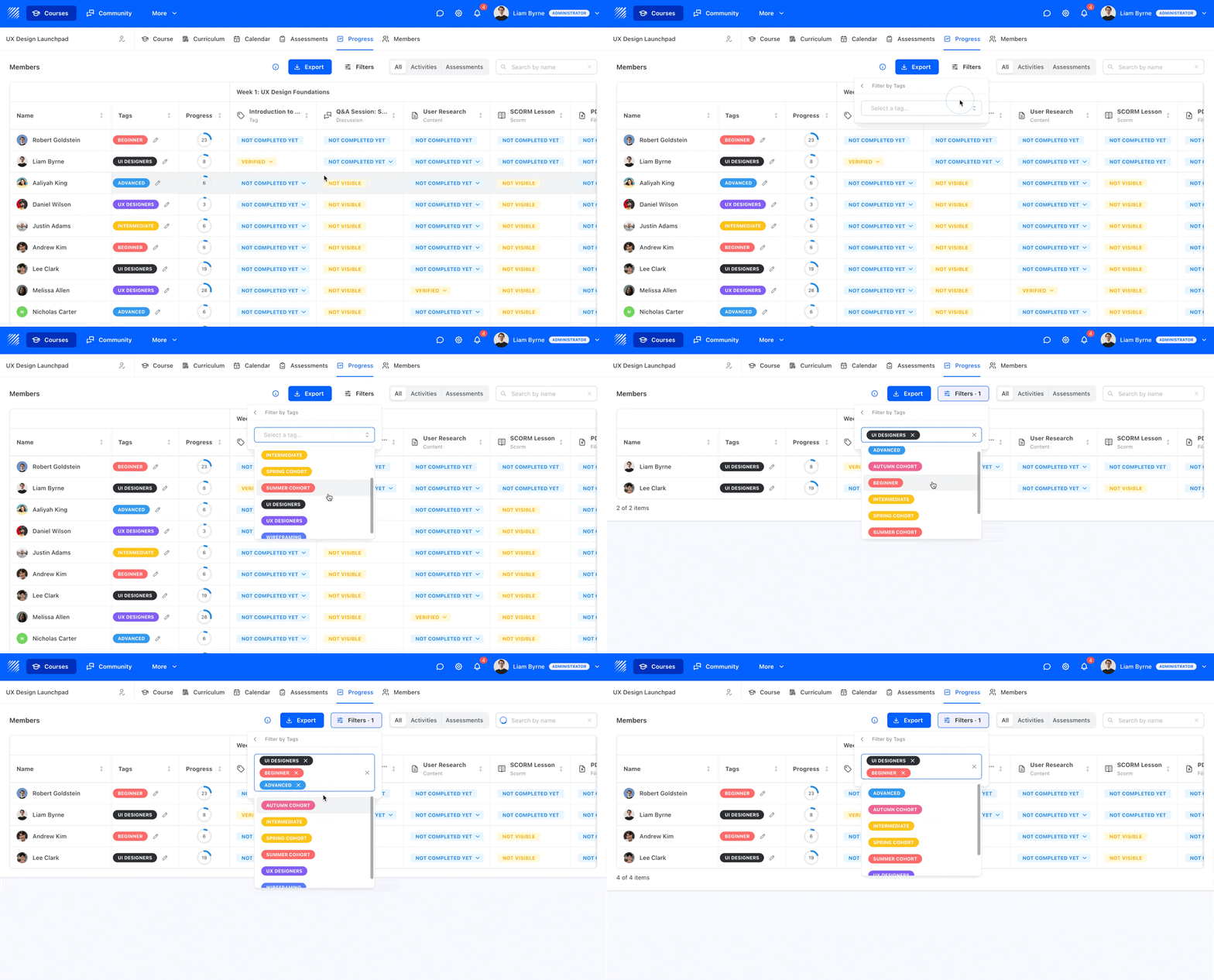
  • Tag Column: Tags are now visible in the progress table, allowing instructors to quickly see the tags associated with each learner, such as their skill level or group.
  • Tag Filtering: Use the Tag Filter to narrow down the list of learners based on specific tags. This helps you focus on particular groups or skills, improving your ability to manage student progress.
  • Create & Edit Tags: Instructors can now create, edit, and assign tags directly from the progress page, making it easier to organize and track student information.

Key Benefits:

  • Streamlined Tracking: Quickly see which learners are in specific groups or have particular skill levels.
  • Enhanced Focus: Filter learners by tags to monitor the progress of targeted groups or activities.
  • Simplified Management: Create, edit, and assign tags with ease, directly from the progress page, for better course organization and management.

Take full control of your course management and tracking with the new tag filters today!
Related updates

Introducing AI Quiz Feedback

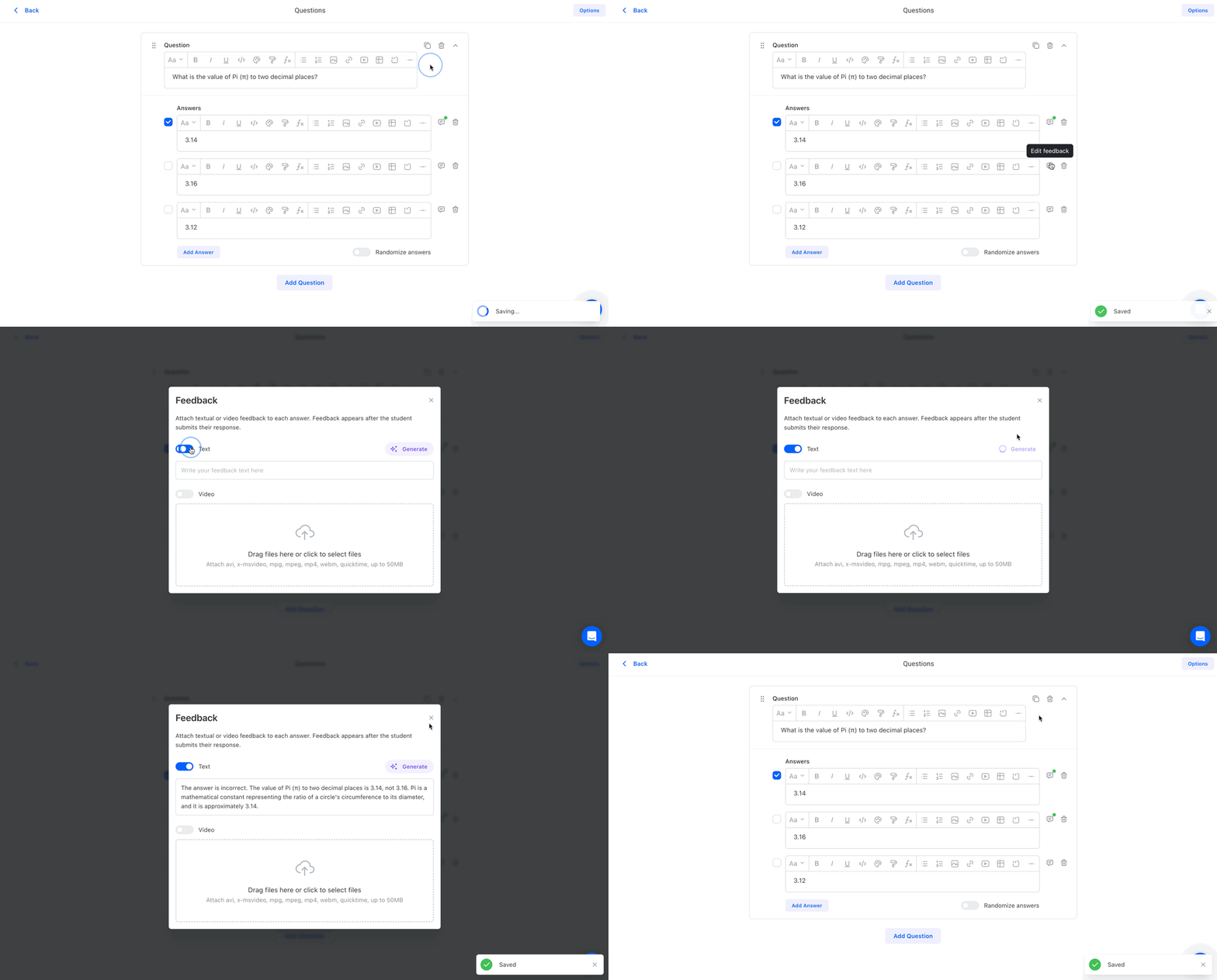
Teachfloor’s AI Quiz Feedback provides instant, AI-generated explanations for quiz answers, helping learners understand why their responses are correct or incorrect. This feature enhances engagement and reinforces learning with real-time insights.

New Submission Options

Teachfloor introduces Submission Options for assignments, allowing instructors to choose file-only submissions for a more tailored assessment experience.

Emoji Lesson Icons

Elevate your online courses with custom activity icons featuring emojis. Add a unique touch to your activities and enhance engagement. Try the exciting new feature in Teachfloor today!