
We’re excited to introduce TeachAI, a new AI-assisted tool designed to streamline content creation for instructors. With TeachAI, generating course and lesson titles, descriptions, and cover images is faster and easier, allowing educators to focus on delivering high-quality learning experiences.
Key Features of TeachAI
AI-Generated Titles
Create compelling course and lesson titles instantly. Click the TeachAI button next to the title field, enter a prompt, and receive three AI-powered suggestions. Select the best one or generate new options.
Smart Course Descriptions
Eliminate writer’s block with AI-generated course descriptions. Click the TeachAI button next to the description field to generate a structured summary. Review, edit, and apply the content with one click.
Custom AI-Generated Cover Images
Enhance course visuals with AI-generated cover images. Describe the image, select a style (e.g., Photographic, Digital Art), choose a mood (e.g., Minimalist, Surreal), and generate a unique cover that aligns with your course theme.
How to Get Started
Why Use TeachAI?
TeachAI is now available on Teachfloor. Try it today and elevate your course content with AI-powered efficiency.
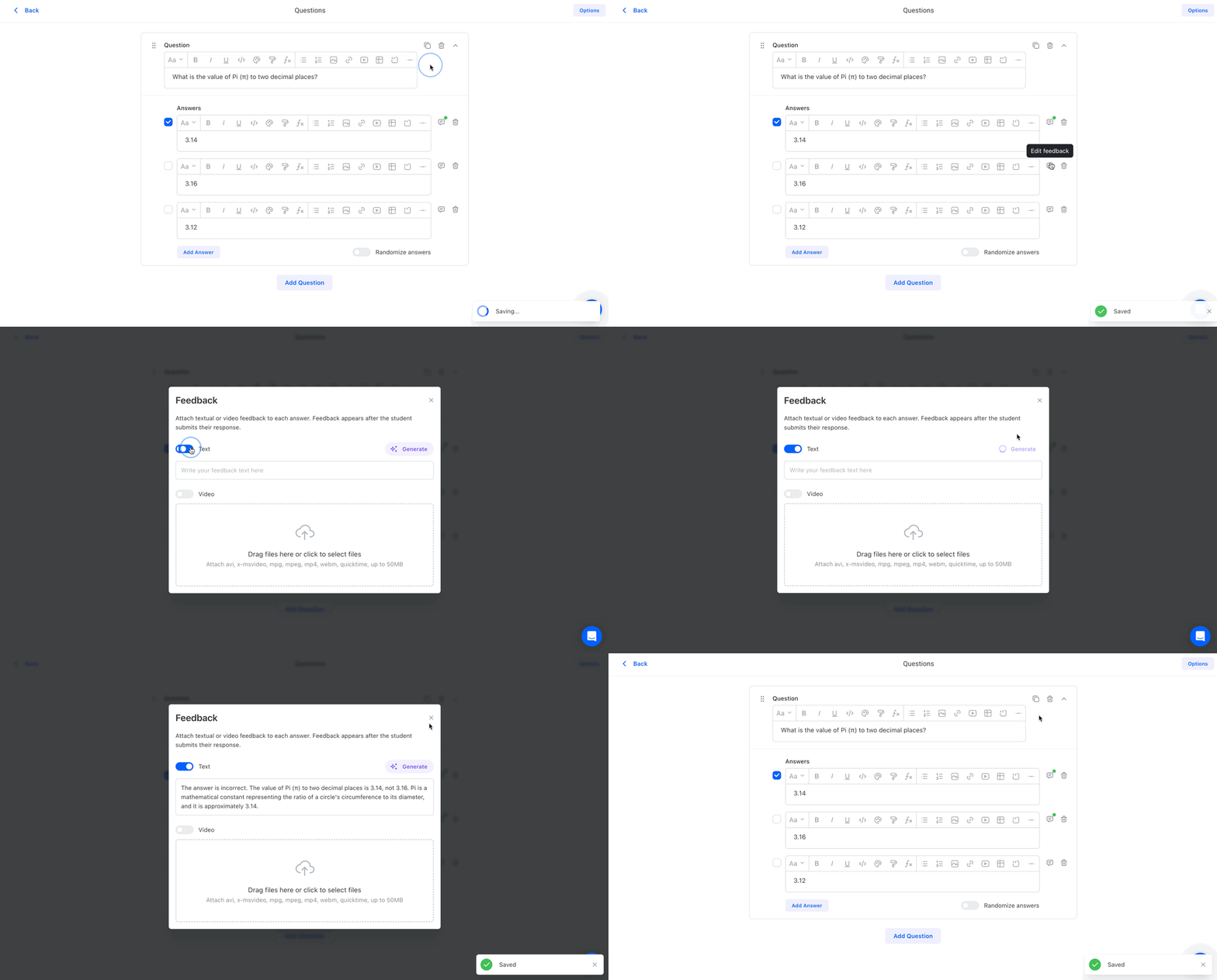
Teachfloor’s AI Quiz Feedback provides instant, AI-generated explanations for quiz answers, helping learners understand why their responses are correct or incorrect. This feature enhances engagement and reinforces learning with real-time insights.

Teachfloor introduces Submission Options for assignments, allowing instructors to choose file-only submissions for a more tailored assessment experience.

Elevate your online courses with custom activity icons featuring emojis. Add a unique touch to your activities and enhance engagement. Try the exciting new feature in Teachfloor today!
 1.svg)
 1.svg)






 1.svg)